
Lotties Lists

Case studies

How do you use yours?

Charlotte's real setup, plus three example setups showing how different brains can use Lotties Lists.

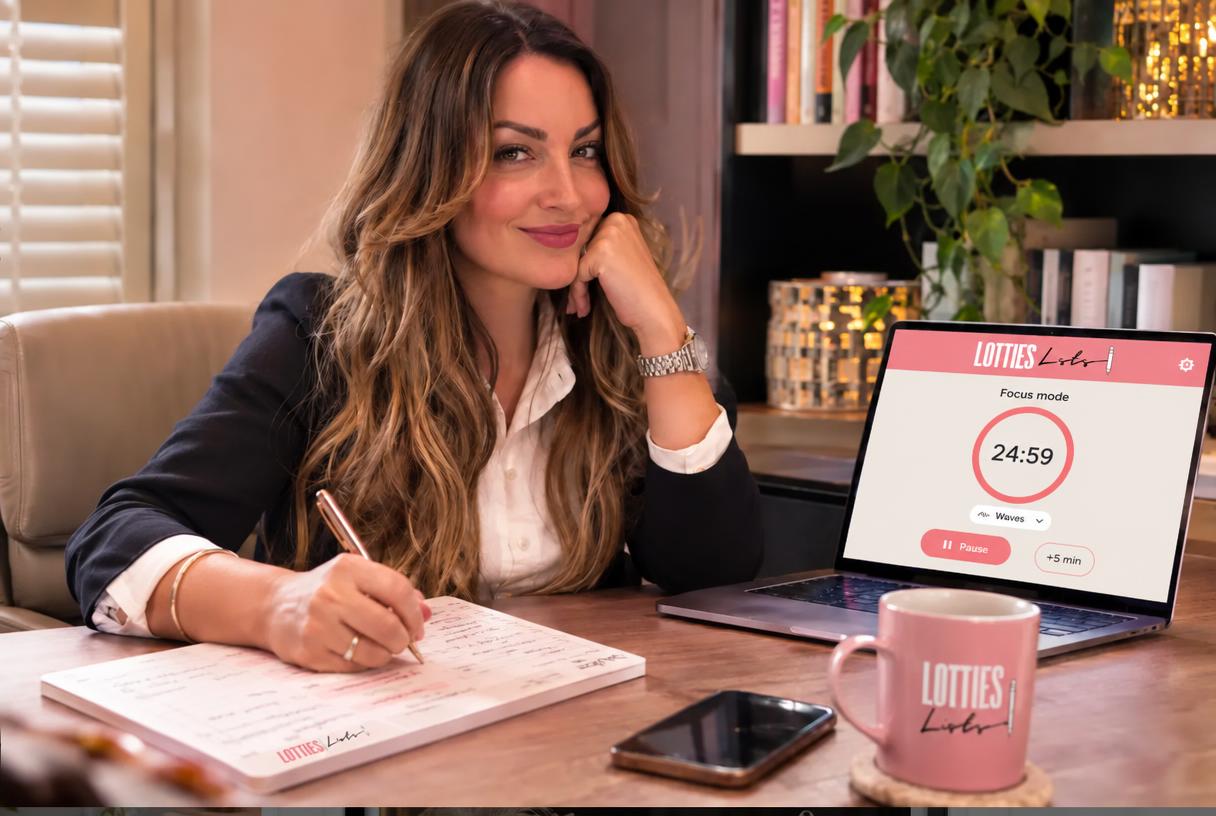
Charlotte at her desk with her A4 desk pad and the Lotties Lists focus timer on her laptop

APP ON PHONE + APP ON LAPTOP

Charlotte

Lotties Lists Founder, ADHD, 50 tabs open

The challenge

Tasks slipped the second they left my head, and long focus blocks turned into scrolling.

The routine

  • Phone: saved to my home screen. Notifications tell me when a task is due, and it nudges me until it's ticked off.
  • Phone: when an idea pops into my head, I offload it to the Brain Dump wherever I am.
  • Laptop: My Day open alongside work, so I can see the whole day at a glance.
  • Laptop: Focus Mode on each task, with a gentle chime at 5 minutes to go and again when time's up.

The result

Two screens, always in sync, and far fewer dropped balls.
"I always put the waves soundscape on when I'm in focus. It really helps me concentrate, and the waves are so relaxing."
Example setups

Different brains. Different setups.

These are illustrative examples, not real customers: the people and photos are made up to show popular ways to use Lotties Lists. Real stories coming soon.

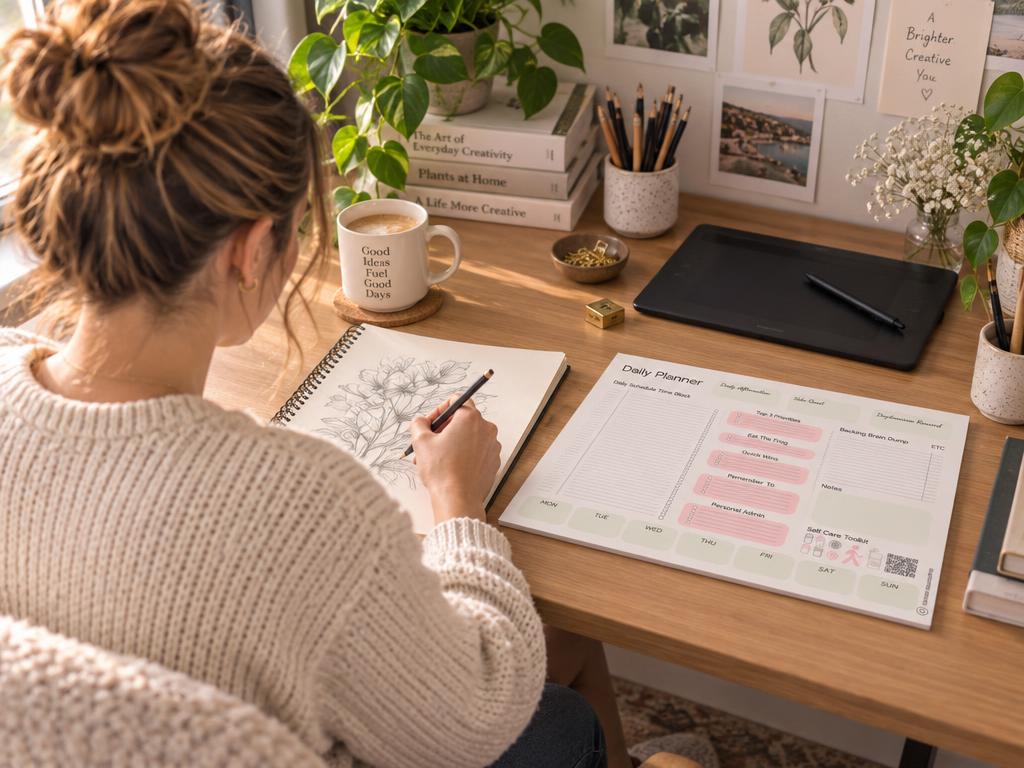
Woman writing on her A4 desk planner at home

A4 DESK PAD + FOCUS COMPANION

Sophie

Freelance illustrator

The challenge

Screens all day meant to-do apps just became another tab to ignore.

The routine

  • Writes her Top 3 and Eat the Frog with coffee before opening the laptop
  • Scans the QR code and sets a custom timer for each block
  • Tears the page off at night and starts tomorrow clean

The result

Planning moved off the screen, and the day finally has edges.
"Tearing the page off at 5pm is my favourite moment of the day."
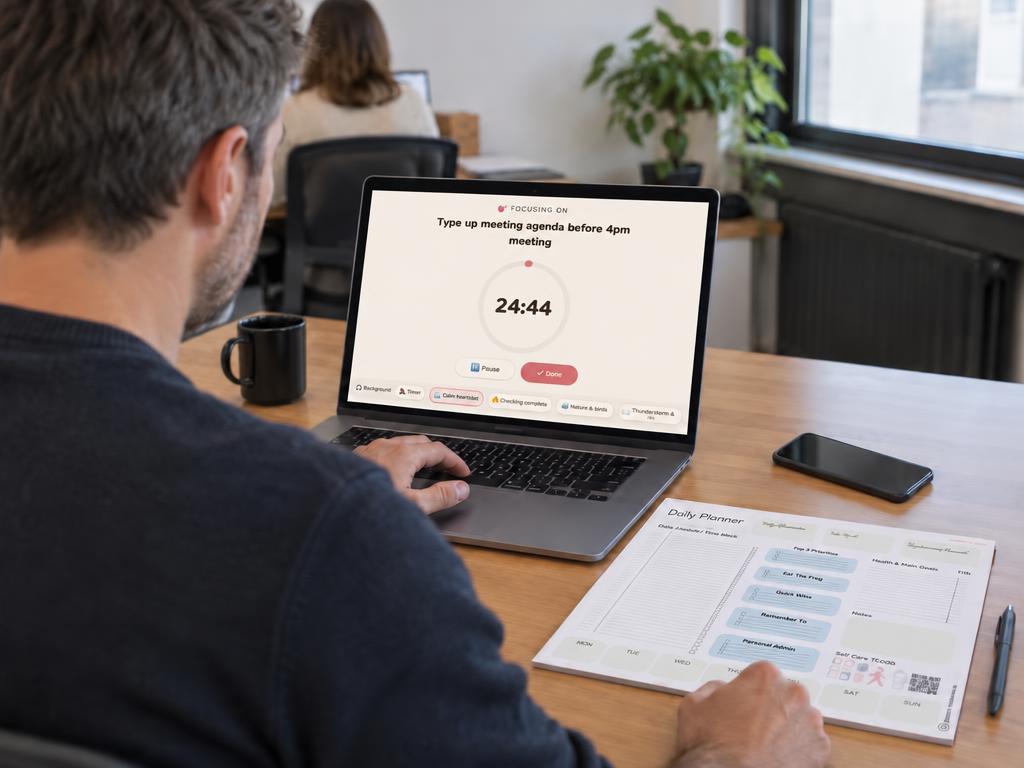
Man at his office desk with laptop, phone and desk planner

DESK PAD + APP

James

Project manager, hybrid working

The challenge

Meetings ate his day and personal admin kept getting lost.

The routine

  • Pad on the desk for the day's big picture
  • Calendar synced into the app so meetings sit beside tasks
  • Nudges on his phone for the life admin between meetings

The result

Work and home in one view, and fewer "oh no, I forgot" moments.
"The pad keeps me focused at my desk. The app catches everything else."
Young woman on the sofa under a blanket using her phone

APP ON THE SOFA

Priya

Student, low-energy days

The challenge

On running-on-empty days, a long list meant doing nothing at all.

The routine

  • Switches on Low-Energy Mode to see only gentle wins
  • Uses Microtasks to shrink scary jobs into tiny first steps
  • Taps Random Task when choosing feels impossible

The result

Even the hard days end with something ticked off.
"It never makes me feel guilty. It just finds me one small thing."

Got a setup that works for your brain?

Share it at hello@lottieslists.co.uk and you could be our next case study.